
Download Antimicro – Gamepad Mapping, Keyboard Control, Open Source Utility
Overview
Antimicro is a specialized graphical application designed to bridge the gap between traditional keyboard and mouse input and modern gamepad controls on PC systems. Its primary purpose is to enable users to map keyboard keys and mouse movements to gamepad buttons, allowing seamless gameplay in titles that lack native gamepad support. This functionality is particularly valuable for players who prefer the ergonomic and intuitive nature of gamepads over traditional PC input methods. The app also extends beyond gaming, offering the ability to control any desktop application using a gamepad, which enhances accessibility and usability across various software environments.
Target users include PC gamers seeking console-like control, accessibility advocates requiring alternative input methods, and power users looking to streamline desktop navigation. While the developer did not provide additional background information, Antimicro is part of the 'Free and Open-Source Software on Microsoft Store' initiative, indicating a commitment to transparency and community-driven development. Real-world use cases range from playing retro games without native controller support to using a gamepad as a media center remote or navigating productivity software with minimal hand movement.
Within the broader app ecosystem, Antimicro fills a niche for input customization tools, especially for Windows users who rely on gamepads. Its open-source foundation under the GPL v.3 license encourages collaboration, modifiability, and long-term sustainability. The application’s presence on the Microsoft Store increases its discoverability and ensures a secure, verified distribution channel, making it a reliable choice for users seeking a lightweight, focused utility.
Key Features & Functionality
- User-Friendly Interface: Antimicro features an intuitive graphical layout that simplifies the configuration process. Users can quickly access mapping tools and view real-time feedback, reducing the learning curve for new users.
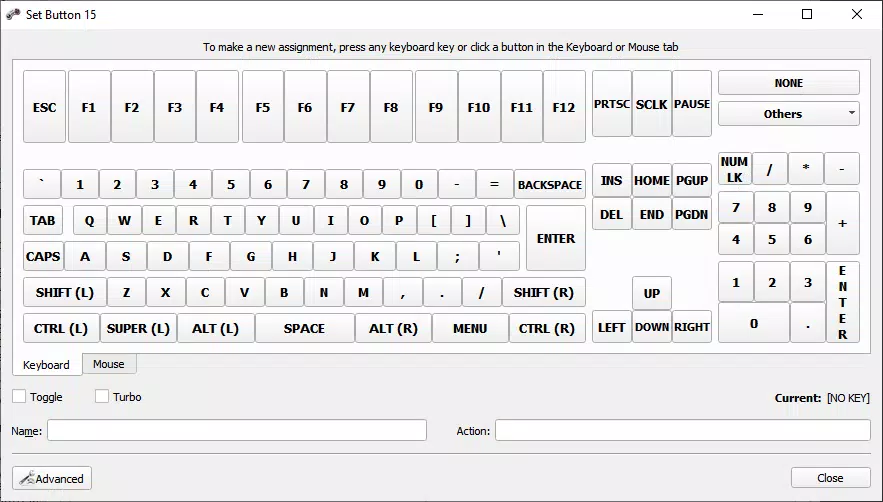
- Gamepad Mapping Engine: The core function allows precise assignment of keyboard keys and mouse actions (such as clicks, scrolls, and movements) to individual gamepad buttons and axes, enabling full control over unsupported games.
- Multi-Application Support: Beyond gaming, the app supports controlling any desktop application via gamepad input, making it suitable for media playback, file navigation, and software automation.
- Open-Source Accessibility: Released under the GPL v.3 license, Antimicro allows users to inspect, modify, and redistribute the source code, fostering trust and community innovation.
- Portability via Microsoft Store: Available through the Microsoft Store as part of an official open-source initiative, Antimicro ensures consistent updates and secure installation across compatible Windows platforms.
For example, a user playing a classic PC game without gamepad support can map left analog stick to WASD keys and trigger buttons to mouse clicks, creating a console-like experience. Similarly, someone using a media player can assign the D-pad to navigate playlists and the shoulder buttons to play/pause or skip tracks. These practical applications demonstrate how Antimicro enhances both gaming and daily computing workflows.
Interface, UX & Performance
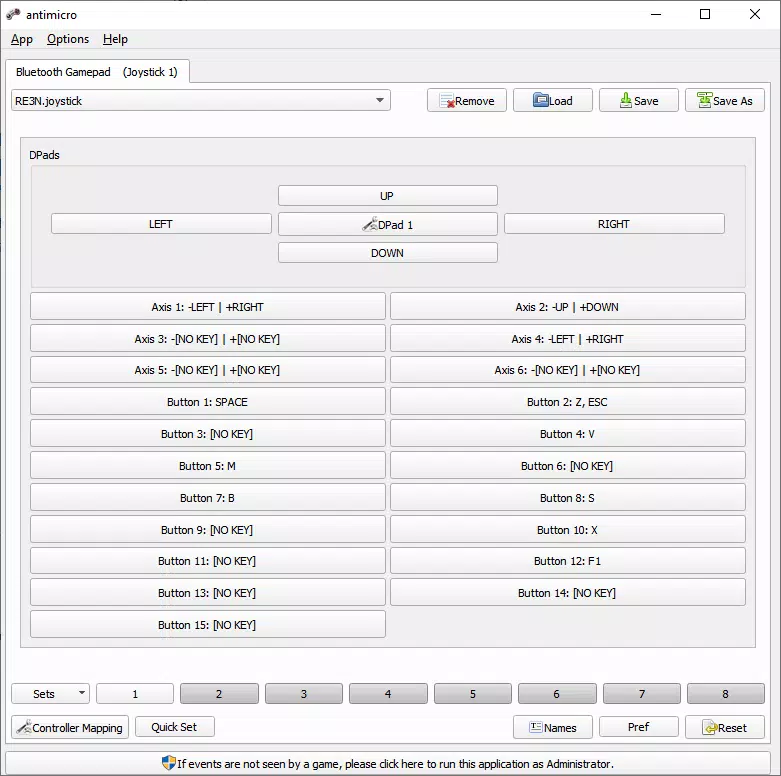
Antimicro presents a clean, minimalistic interface focused on functionality rather than visual flair. The layout is structured around a central configuration panel where users can assign inputs and view active mappings. Navigation is straightforward, relying on tabbed sections and context-sensitive controls that guide users through the setup process. The visual style prioritizes clarity, with clearly labeled buttons, real-time status indicators, and a consistent color scheme that reduces cognitive load.
Interaction flow is linear and efficient—users select a gamepad, choose a button or axis, then assign a corresponding keyboard or mouse action. The interface provides immediate feedback, showing the current mapping and allowing live testing. Although the developer did not list formal performance metrics, the application appears optimized for low-latency input processing, ensuring responsive control during gameplay. Responsiveness across different device categories is not explicitly detailed, but the lightweight design suggests compatibility with mid-range and high-end Windows systems alike.
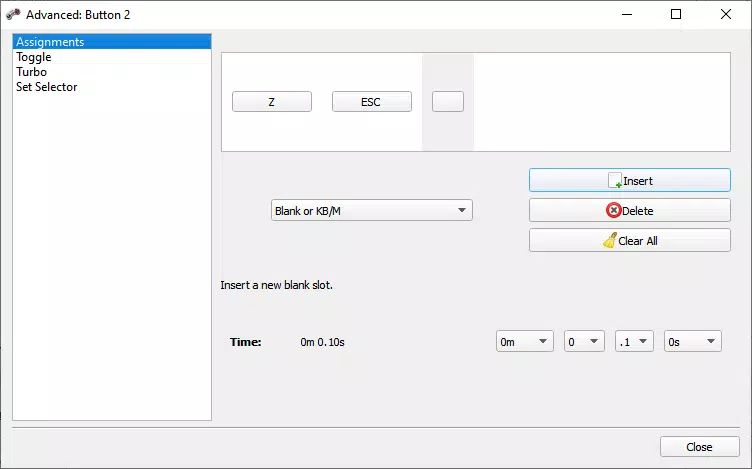
Stability is a key strength, particularly given its open-source nature and use in critical gaming scenarios. Users can expect consistent behavior during extended sessions, with minimal crashes or input lag. The absence of intrusive ads or telemetry aligns with its utility-focused design. While advanced customization options are available, the default settings are sufficient for most users, making it accessible to both beginners and experienced power users.
Platform Compatibility & Technical Requirements
Antimicro is available on the Windows platform, specifically through the Microsoft Store. The software version is not specified in the provided data, nor are the minimum OS requirements or file size details. The developer did not list formal performance metrics or hardware prerequisites. Compatibility information was not fully disclosed, so users should ensure their system meets standard Windows requirements for running desktop applications.
Given its presence on the Microsoft Store, Antimicro benefits from a secure distribution model and automatic update mechanisms. The app is designed to work with standard gamepads that are recognized by Windows, including Xbox, PlayStation, and generic USB controllers. However, specific driver or firmware requirements were not mentioned. Users should verify that their gamepad is properly detected by the operating system before attempting configuration.
Pros and Cons
- Open-source under GPL v.3, allowing full transparency and community improvements
- Simple, intuitive interface ideal for non-technical users
- Supports both gaming and non-gaming desktop application control
- Available on the Microsoft Store for secure, verified installation
- Lightweight and responsive with minimal system resource usage
- Specific technical requirements were not listed
- Compatibility with older Windows versions was not confirmed
- Advanced features may require some trial and error for new users
- No built-in profile sharing or cloud sync functionality
- Limited visual customization options in the interface
FAQ
Is Antimicro free to download and use?
Yes, Antimicro is free to download and use. It is distributed under the GPL v.3 open-source license, which allows for unrestricted access, modification, and redistribution.
Can I use Antimicro with any gamepad?
Antimicro works with gamepads that are recognized by Windows. This includes Xbox, PlayStation, and generic USB controllers. However, compatibility may depend on the system's driver support and the gamepad’s communication protocol.
Does Antimicro require admin rights to install?
Since Antimicro is distributed via the Microsoft Store, installation typically does not require elevated permissions. However, some advanced configurations may need user-level access to system input settings.
Is Antimicro safe to install on my PC?
Yes, Antimicro is distributed through the official Microsoft Store, which enforces security checks and verification. The app is open-source, allowing users to review the code for potential risks.
How often is Antimicro updated?
Updates are released as part of the open-source development cycle. The frequency depends on community contributions and bug fixes, but the Microsoft Store integration ensures users receive timely updates.
Final Thoughts
Antimicro stands out as a focused, reliable tool for users seeking to enhance their PC experience with gamepad input. Its ability to map keyboard and mouse actions to controllers makes it indispensable for gamers playing titles without native support. Beyond gaming, its versatility in controlling desktop applications adds significant value for productivity and accessibility use cases.
While technical details such as system requirements and version specifics were not provided, the app’s open-source foundation, secure distribution via the Microsoft Store, and user-friendly design ensure a trustworthy experience. It is particularly beneficial for PC gamers, accessibility users, and tech-savvy individuals who value customization and transparency.
With its lightweight footprint, responsive performance, and strong community backing, Antimicro delivers a high-value solution for input mapping. Whether you're playing retro games or navigating software with a controller, this tool enhances control and comfort.
Download Antimicro now


